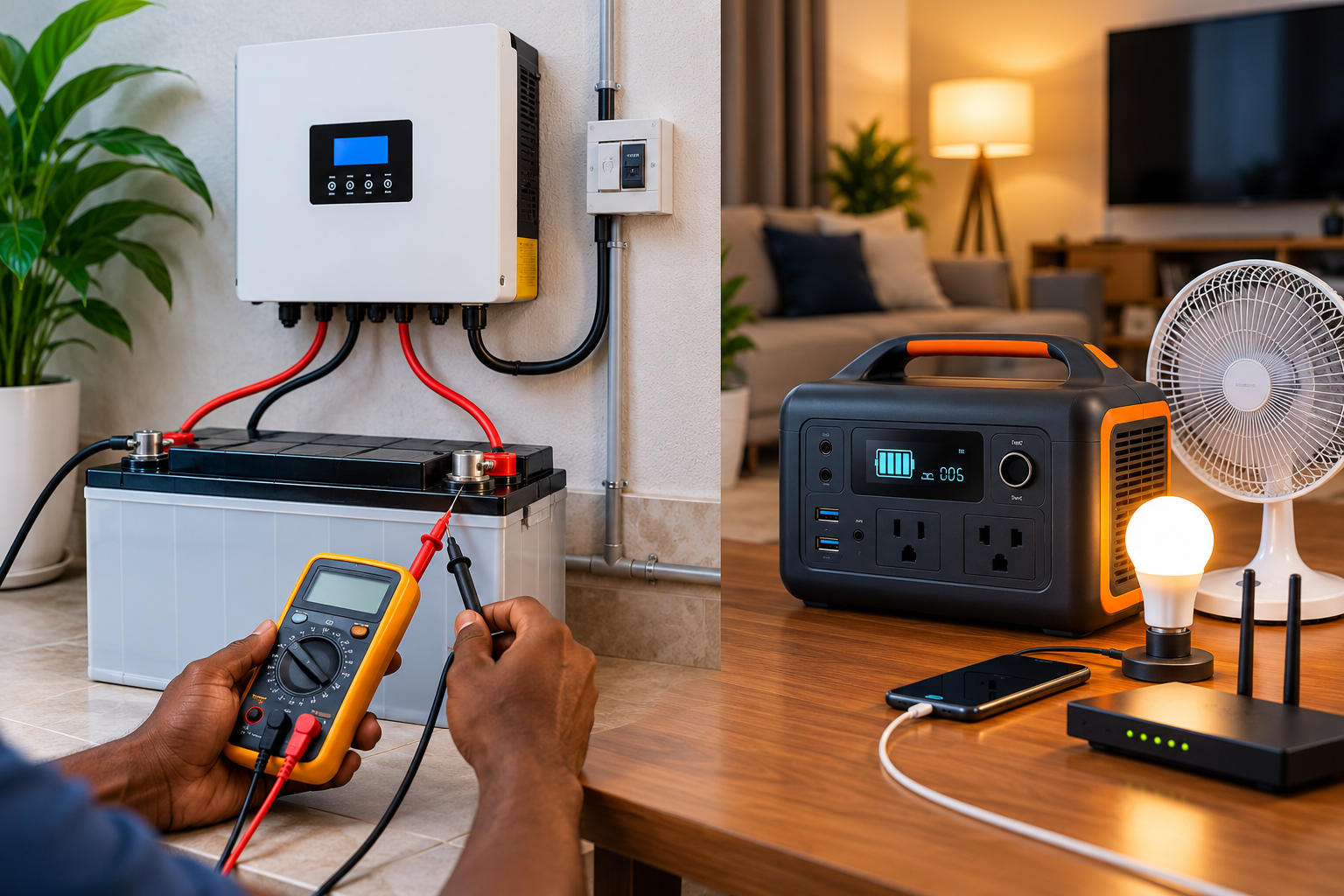
If your inverter battery is no longer giving you the backup time it used to, it is easy to assume that the battery is dead and needs replacement.
But that is not always the case.
The battery may simply be low on charge, not charging properly, overloaded, affected by a bad cable or connection, or protected by its battery management system.
There is also an important difference between the traditional inverter setup and the newer all-in-one inverter battery or power station.
Some systems have a separate battery connected to an inverter. Others have the battery, inverter, charger and battery management system built into one unit.
The way you check them is different.
This guide explains how to check both types and how to tell whether the battery is simply discharged, weak, or has actually failed.
Safety first: Do not open an inverter, open a lithium battery, short battery terminals, bypass a fuse or BMS, or work on live high-current wiring. If you see swelling, leakage, smoke, sparks, melted cables or unusual heat, stop testing and contact a qualified technician.
First, What Do You Mean by “Inverter Battery”?
Before testing anything, identify the type of system you have.
Type 1: Separate Inverter and Battery
This is the traditional setup.
You have:
Battery → cables → inverter
The battery may be:
- Tubular
- Flooded lead-acid
- AGM
- GEL
- Lithium
With this type of system, the battery can usually be checked separately from the inverter.
Type 2: All-in-One Inverter Battery
This is the type that looks more like a large power station or portable solar generator.
The same unit may contain:
- Battery
- Inverter
- Battery management system (BMS)
- Charger
- AC outlets
- USB/DC outputs
- Display
- Solar charging input
Because the battery is inside the unit, you should not open it just to test the battery.
Instead, you check its display, charging behaviour, error messages and how much power it can deliver to a known load.
This difference is important because a test that makes sense for a separate 12V battery may not be appropriate for an all-in-one lithium power station.
Signs Your Inverter Battery May Be Dead
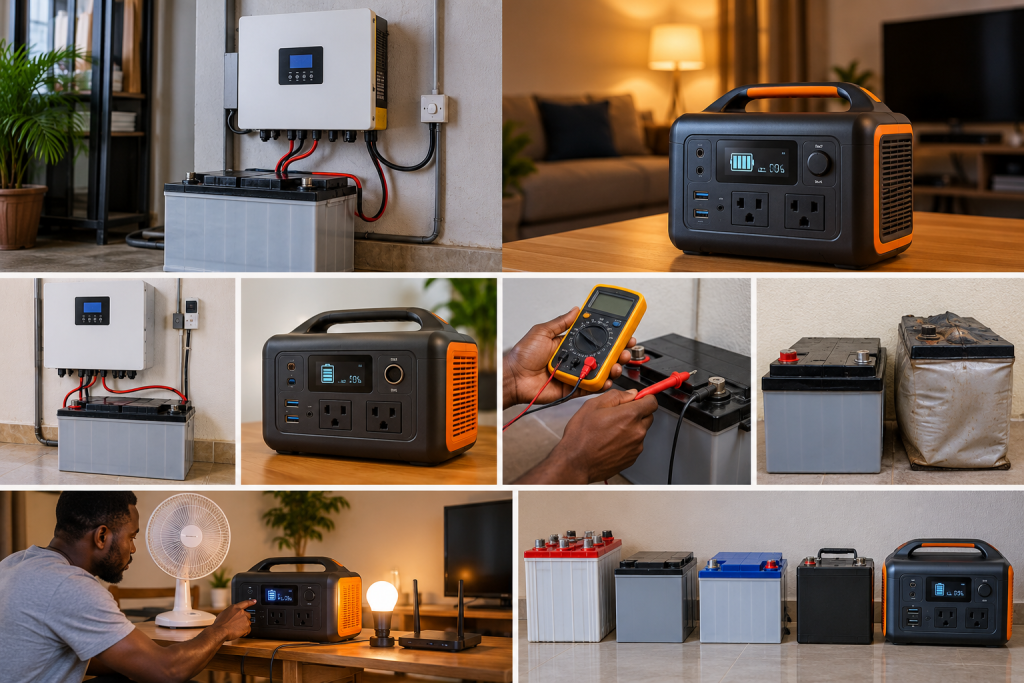
Before getting out a multimeter, look at what the system is doing.
A battery may be failing if:
- backup time has become much shorter;
- it charges but loses power very quickly;
- the battery percentage falls unusually fast;
- the inverter shuts down soon after a load is connected;
- the battery cannot hold its charge;
- the battery repeatedly shows a low-battery warning;
- one battery in a battery bank behaves differently from the others;
- an all-in-one unit shuts down even with a small load;
- the unit repeatedly shows a battery or BMS fault.
But none of these signs, by itself, proves that the battery is dead.
The charging system, inverter, cables, settings and load can produce similar symptoms.
In fact, your battery can appear to be bad when the real problem is the inverter, charger, wiring or settings. That is why it is useful to check both sides before buying a replacement.
1. Check If the Battery Is Actually Charging
This should be your first test.
A battery that is not receiving enough charging energy can look like a bad battery.
For a separate inverter and battery system, check whether the inverter shows that the battery is charging.
Look for:
- charging current;
- increasing battery voltage;
- increasing state of charge;
- normal charging stages;
- a charging indicator.
If your system can charge from both solar and grid or generator power, check whether it behaves differently with each source.
For example:
Solar charging works poorly, but grid charging works normally.
That points you toward the solar charging side rather than immediately blaming the battery.
Likewise:
Grid charging works, but solar charging does not.
The problem could be with the solar panels, charge controller, wiring or settings.
For an All-in-One Inverter Battery
Check the unit’s:
- charging indicator;
- battery percentage;
- charging power;
- display;
- app, if available;
- error or warning messages.
If the unit charges normally but the battery percentage falls very quickly when you use it, the battery may have lost capacity.
2. Check the Battery’s Physical Condition
Before doing electrical tests, look at the battery or unit.
For a separate battery, look for:
- swelling;
- cracks;
- leakage;
- damaged terminals;
- heavy corrosion;
- burnt connections;
- unusual heat;
- damaged cables.
For an all-in-one inverter battery, look for:
- a swollen case;
- cracks;
- unusual heat;
- burning smell;
- damaged charging port;
- damaged AC/DC outlets;
- unusual noise;
- smoke.
If you see serious physical damage, stop testing it.
Do not open the unit to find out what happened.
3. Check the Battery Voltage — If It Is a Separate Battery
If you have a separate battery and know how to safely use a multimeter, you can check its voltage.
Set the meter to DC voltage and measure across the battery terminals.
But there is an important warning:
One voltage reading cannot tell you that a battery is dead.
Battery voltage changes depending on:
- battery chemistry;
- state of charge;
- whether it has just been charged;
- whether a load is connected;
- temperature;
- battery condition.
For example, a lead-acid battery can show a temporarily higher reading after charging because of surface charge.
Lithium batteries also behave differently from lead-acid batteries, so you should not apply a lead-acid voltage chart to a lithium battery.
The battery manufacturer’s specifications should take priority.
4. Let a Lead-Acid Battery Rest Before Judging the Voltage
If you are testing a separate lead-acid battery, do not immediately assume that the voltage you see just after charging is its true resting voltage.
Charging can leave surface charge on the battery.
Allow the battery to rest according to the battery manufacturer’s instructions before using an open-circuit voltage reading to judge its condition.
The important question is not simply:
“Does the battery show 12 volts?”
The better question is:
Can the battery hold its charge and deliver useful power when a normal load is connected?
That leads us to the next test.
5. See What Happens When You Add a Small Load
A battery can show a reasonable voltage when nothing is connected and still be too weak to provide useful backup.
This is why testing under load is important.
For a separate inverter system, use a small, steady load that the system can safely handle.
For example:
- LED lights;
- a small fan;
- a router;
- a television.
Do not start the test with a heavy appliance such as:
- electric iron;
- kettle;
- water heater;
- air conditioner;
- large pump.
These loads can make the inverter draw a lot of power and may confuse the diagnosis.
What Should You Watch?
Watch the battery voltage and the inverter behaviour.
If the voltage drops very quickly and the inverter soon reports low battery, the battery becomes more suspicious.
But there is another possibility.
The problem could be:
- undersized battery cables;
- loose terminals;
- corrosion;
- poor connections;
- damaged fuse connections;
- excessive voltage drop.
So a load test should not be used alone to declare a battery dead.
6. Check How Long the Battery Lasts
This is one of the easiest real-world checks.
Ask yourself:
How long does the battery power the same appliances compared with when it was working normally?
For example, if your battery previously powered your normal evening load for five hours but now lasts only one hour, something has changed.
It could be:
- battery capacity loss;
- incomplete charging;
- higher appliance load;
- charging problems;
- cable problems;
- inverter problems.
Try to compare the same appliances.
If you previously used 300W but now use 700W, the shorter backup time does not automatically mean the battery is bad.
A Simple Energy Check
You can estimate energy use with:
Energy = Load in watts × Time in hours
For example:
500W × 4 hours = 2,000Wh = 2kWh
This does not mean every 2kWh battery will provide exactly four hours at a 500W load.
Inverter losses, battery limits, usable capacity and operating conditions also affect the actual runtime.
If you want to estimate how much battery storage you need or how long an existing battery may last, you can use the SolarPriceNG Battery Calculator. It allows you to enter your battery and appliance information and gives a planning estimate of backup time.
How to Check an All-in-One Inverter Battery
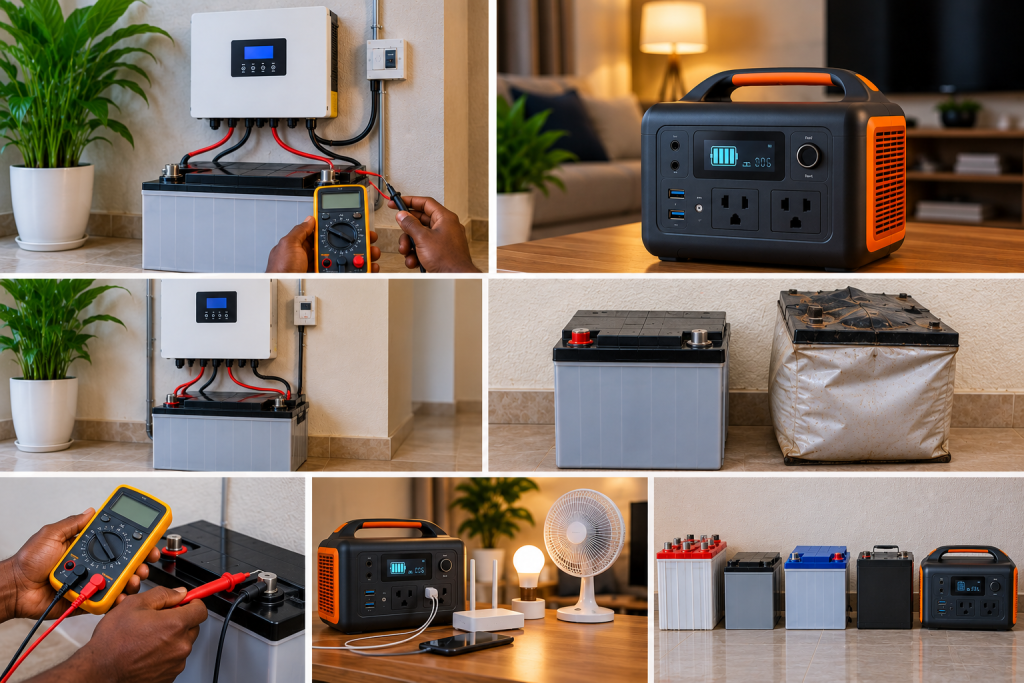
This type needs a different approach.
If your inverter battery looks like a power station or portable solar generator, do not open the unit to test the internal battery.
Instead, check the things you can safely observe from outside.
Check the Battery Percentage
Charge the unit properly and observe how quickly the percentage falls.
If it goes from 100% to 50% unusually quickly under a known load, that may indicate reduced usable capacity.
But battery percentage is an estimate, so it should not be the only test.
Check the Charging Behaviour
Check whether:
- it reaches full charge;
- charging stops normally;
- charging repeatedly starts and stops;
- charging takes much longer than before;
- the unit refuses to charge.
Check the Output
Connect a small, known load.
For example:
- a lamp;
- fan;
- router;
- television.
Watch how long the unit operates.
Check the Display and Error Messages
Look for:
- battery fault;
- BMS fault;
- temperature warning;
- overload;
- low-voltage warning;
- charging error.
If the unit has a mobile app, check the battery information and fault history there.
For this type of product, battery capacity is normally shown in Wh or kWh, while the inverter output is shown in watts. These are different measurements. A larger battery does not automatically mean that the unit can run a more powerful appliance.
How to Do a Simple Runtime Test on an All-in-One Unit
If the manufacturer allows it, you can perform a basic runtime test without opening the unit.
Step 1: Fully charge it
Charge the inverter battery according to the manufacturer’s instructions.
Step 2: Record the starting capacity
For example:
Battery: 100%
Step 3: Connect a known load
Use a steady load rather than something that constantly changes its power consumption.
For example:
100W load
Step 4: Record the time
Write down when the test starts.
Step 5: Allow the unit to run
Let it operate normally until it reaches the manufacturer’s low-battery shutdown point.
Step 6: Record the energy delivered if available
Some power stations show the output energy in Wh.
For example:
Rated battery capacity: 1,000Wh
If the unit consistently delivers much less usable energy than expected under the manufacturer’s stated test conditions, it may have lost capacity.
Remember that the energy stored inside the battery is not exactly the same as the energy you can get from the AC outlets because the inverter and other electronics also use some energy.
If you are unsure how much capacity you actually need for an all-in-one unit, the SolarPriceNG Solar Generator Calculator can help you estimate the battery capacity, output power and solar charging size based on the appliances you want to run.
A Good Voltage Does Not Always Mean a Good Battery
This is an important point.
A weak battery can sometimes show a normal voltage when there is little or no load.
Then you connect an appliance and the voltage drops quickly.
This can happen because the battery may have lost a significant amount of usable capacity.
So:
Normal voltage does not automatically mean a healthy battery.
And:
Low voltage does not automatically mean a dead battery.
You need to look at the battery’s behaviour over time and under a suitable load.
If you have checked the battery but the inverter is still showing low-battery warnings, refusing to charge, overheating or producing other faults, see our guide on how to tell if your solar battery is bad or the inverter is the problem. It goes deeper into separating battery problems from inverter, charger, cable and settings problems.
Check the Battery Cables on a Separate System
If you have a traditional inverter with an external battery, do not forget the cables.
A bad cable or connection can make a healthy battery look bad.
Possible problems include:
- loose terminal;
- corroded terminal;
- undersized cable;
- damaged cable;
- poor fuse connection;
- excessive cable length;
- poor isolator connection.
A qualified technician can compare the voltage at the battery with the voltage at the inverter while the system is under load.
If the battery has reasonable voltage but the inverter sees a much lower voltage, the problem may be between the battery and inverter rather than inside the battery.
This is why replacing the battery immediately can waste money.
Check the Battery Chemistry
The correct test depends on the battery type.
| Battery type | Useful checks | What to avoid |
|---|---|---|
| Tubular/flooded lead-acid | Resting voltage, charging, water level, terminals and proper load/capacity testing | Do not add acid casually or operate with poor ventilation |
| AGM | Charging behaviour, resting voltage and manufacturer-approved testing | Do not open the battery |
| GEL | Charging behaviour, resting voltage and manufacturer-approved testing | Do not add water or open the case |
| Lithium | BMS/app status, state of charge, charging, temperature, fault history and runtime | Do not bypass the BMS |
| All-in-one power station | Display, charging, runtime, output, error messages and app data | Do not open the unit |
Battery capacity should also be understood correctly.
Lithium systems are often described using Wh or kWh, while traditional lead-acid batteries are commonly described using Ah and voltage.
That is why you should not compare the Ah number of a lithium battery directly with the Ah number of a lead-acid battery and assume they provide the same usable energy.
What If You Have Several Batteries?
If you have several batteries connected together, one weak battery can affect the whole system.
For example:
Several batteries → one becomes weak → battery bank voltage drops faster → inverter reports low battery → entire system appears faulty
This is especially important when batteries are connected in series.
A qualified technician can test the individual batteries and compare them.
Do not disconnect or rearrange a high-voltage battery bank yourself unless you are qualified to do so.
If you are trying to work out how many batteries a particular inverter needs, our guide on how many batteries you need for a 5kVA inverter in Nigeria explains why inverter size alone does not determine the number of batteries.
How to Know If the Battery Is Weak, Not Completely Dead
A battery does not have to stop working completely before it becomes a problem.
A weak battery may still:
- turn on the inverter;
- charge to 100%;
- power some appliances;
- show a normal-looking voltage.
But its backup time may have become much shorter.
Common signs include:
- battery reaches full unusually quickly;
- battery becomes empty unusually quickly;
- backup time has reduced significantly;
- voltage falls quickly under load;
- battery cannot hold its charge;
- one battery in a bank performs differently;
- all-in-one power station shuts down much earlier than it used to.
A lead-acid battery that remains deeply discharged for a long time can also suffer permanent capacity loss, including sulphation.
Quick Guide: Is My Inverter Battery Dead?
| What you notice | What it could mean |
|---|---|
| Battery is low after heavy use | It may simply need charging |
| Battery does not charge properly | Charging system or battery problem |
| Battery charges fully but dies quickly | Possible capacity loss |
| Voltage looks normal but drops quickly under load | Weak battery or cable problem |
| Battery voltage is good but inverter sees low voltage | Cable or connection problem |
| One battery in a bank behaves differently | Possible weak battery |
| All-in-one unit shows BMS fault | Battery protection or internal battery issue |
| All-in-one unit charges but runtime is very short | Possible capacity loss |
| Inverter shows overload | Load or inverter problem, not automatically battery failure |
| Battery has swelling or leakage | Stop using it and seek professional help |
When Should You Replace the Inverter Battery?
Do not replace the battery simply because:
- the inverter showed a low-battery warning;
- the backup time was short once;
- the battery voltage was low after heavy use;
- the system shut down during a large load.
First find out why it happened.
Replacement becomes more reasonable when proper testing shows that the battery:
- cannot hold its charge;
- has lost a large amount of usable capacity;
- repeatedly fails an appropriate load or capacity test;
- has a confirmed internal fault;
- has serious physical damage;
- or has reached the end of its useful service life.
If testing confirms that you really need a new battery, our current Inverter Battery Price in Nigeria guide is the natural next step. It covers lithium, tubular and GEL batteries and gives current market price ranges.
And if you are replacing the whole inverter rather than only the battery, you can also check our Solar Inverter Prices in Nigeria guide to see the current price ranges for different inverter sizes.
When You Should Stop Testing
Stop testing and contact a qualified technician if you notice:
- swelling;
- leakage;
- smoke;
- burning smell;
- sparks;
- melted cables;
- exposed conductors;
- very hot terminals;
- repeated high-current trips;
- a serious lithium BMS fault;
- damaged battery casing.
Never short battery terminals to see whether the battery is still working.
Never bypass a fuse, breaker or BMS.
Do not open an all-in-one inverter battery just to inspect the cells.
What to Record Before Calling a Technician
Before asking someone to inspect the system, record:
- Battery brand and model
- Battery type
- Battery voltage and capacity
- Inverter brand and model
- Error code or warning shown
- Battery percentage or voltage
- Appliances connected when the problem happened
- How long the system lasted
- Whether solar charging works
- Whether grid or generator charging works
- Whether the problem happens with a small load
- Whether the problem started suddenly or gradually
If it is an all-in-one unit, also take a picture of the display and the manufacturer’s label.
This information can make troubleshooting much easier.
Final Answer: Is My Inverter Battery Dead?
A low battery does not automatically mean the battery is dead.
The better approach is:
Identify the type of inverter battery → charge it properly → check its charging behaviour → check voltage if it is a separate battery → test a known load → compare backup time → check cables and connections → check error messages or BMS information.
For an all-in-one inverter battery or power station, you normally should not open the unit. Use its display, charging behaviour, runtime, output and manufacturer-approved diagnostic information.
For a traditional inverter with a separate battery, you have more options for checking the battery itself, including voltage, load and capacity testing.
If the battery repeatedly loses voltage or capacity after proper charging and testing, it may be time for replacement.
But if the battery is healthy and the inverter still reports low voltage, refuses to charge, shuts down or produces other faults, the battery may not be the real problem.
Do not replace an inverter battery until you have a good reason to believe the battery itself has failed.